Example / Two-stage workflow
Cut out a product. Then upscale it.
Download a complete two-stage Python workflow: remove the background, re-upload the cutout, and enlarge the transparent result.
Prepare now. Run with beta access.
The code and setup are available now. Request an API key before submitting work to the private beta.
1. Get your account ready.
Request beta access, then follow the API key guide. Add a prepaid usage balance before uploading files. Set YPAD_KEY in your local environment; keep the key out of source files, shared notebooks, and browser storage.
2. Download the complete runner.
The Python 3 script uses the standard library. Supply a PNG, JPEG, or WebP product photo within the models’ input limits. The cutout is re-uploaded as a new input before the upscaling stage.
Download Python runner ↓Download the product photo ↓
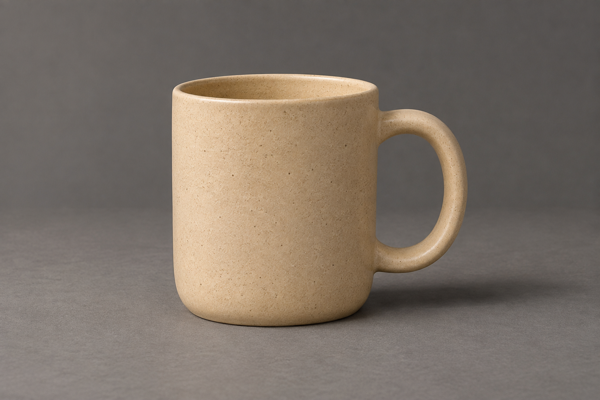
The sample is an AI-generated photo of a fictional, unbranded ceramic mug. Learn how signed uploads work.
The runner saves cutout.png, the enlarged result, and workflow.json in ./cutout-upscale-output. Use PNG or WebP output to preserve transparency.
3. Start with the offline plan.
python3 cutout-upscale.py product.png --scale 2Without --run, the runner inspects the image and explains the two submissions locally. It does not upload a file or start a model job.
4. Run both stages with a charge cap.
For the one-image example at 1 MP or under, this command checks the sum of both dry-run holds against $0.015, with a $0.0075 minimum per submission. If a quoted stage would pass the remaining cap, the script stops before submitting that stage.
# Set YPAD_KEY in your shell before running this command.
python3 cutout-upscale.py product.png --scale 2 --run --max-charge-usd 0.015
The runner dry-runs each stage, checks the hold against your cap, submits with an idempotency key, waits until settled_at is set, and downloads the succeeded result. The API key goes only to the API; signed storage requests use no authorization header.
If a fare changes between the dry run and submission, a batch may already have started at the new fare. The runner records its accepted hold and stops subsequent work if the cap is exceeded.
Keep workflow.json when retrying the same work. Reusing the output directory resumes its recorded submissions. Choosing a new output directory starts a separate workflow and may charge again.
Keep the originals and your results.
Review important edges, text, and timing before publishing. Model output can contain mistakes or estimated detail. Save your downloads locally: Deletion starts at 7 days and normally finishes within a further day.