Background removal is a useful first step when a catalog needs a consistent presentation. BiRefNet returns a transparent cutout or a mask, leaving you to choose the final backdrop and layout.
See the actual cutout.
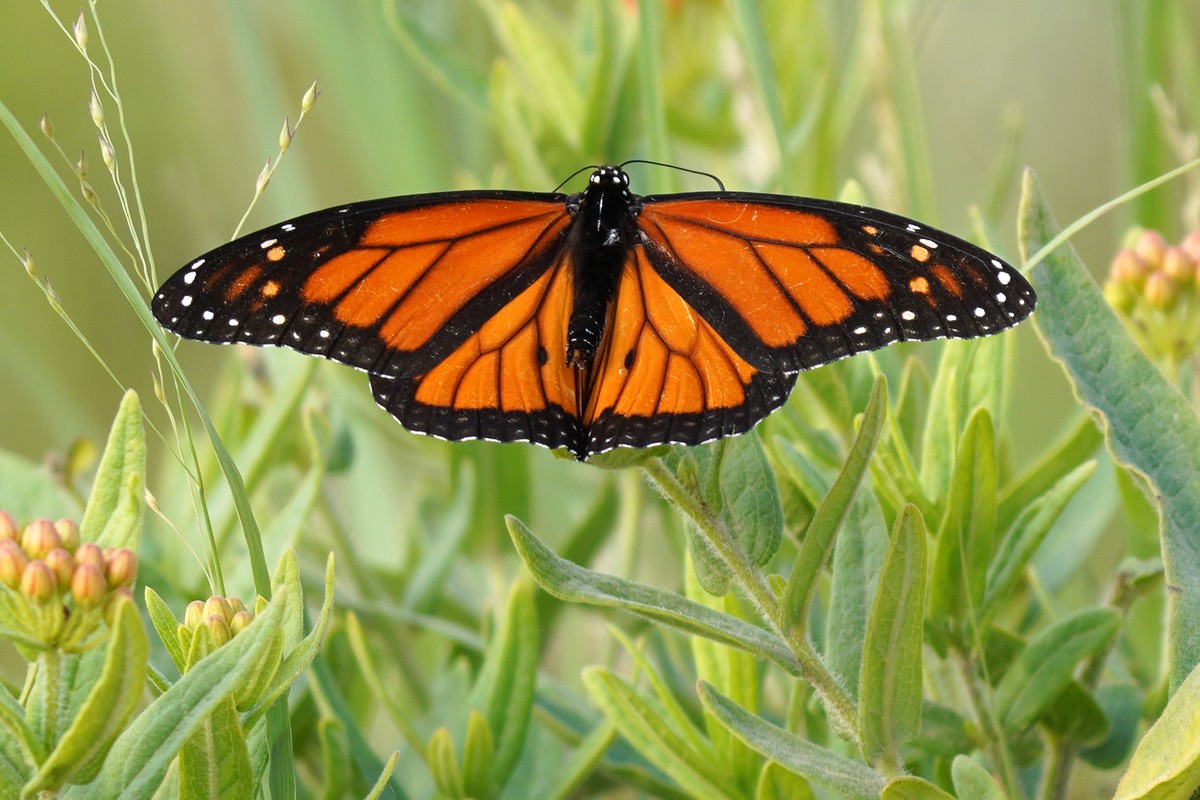
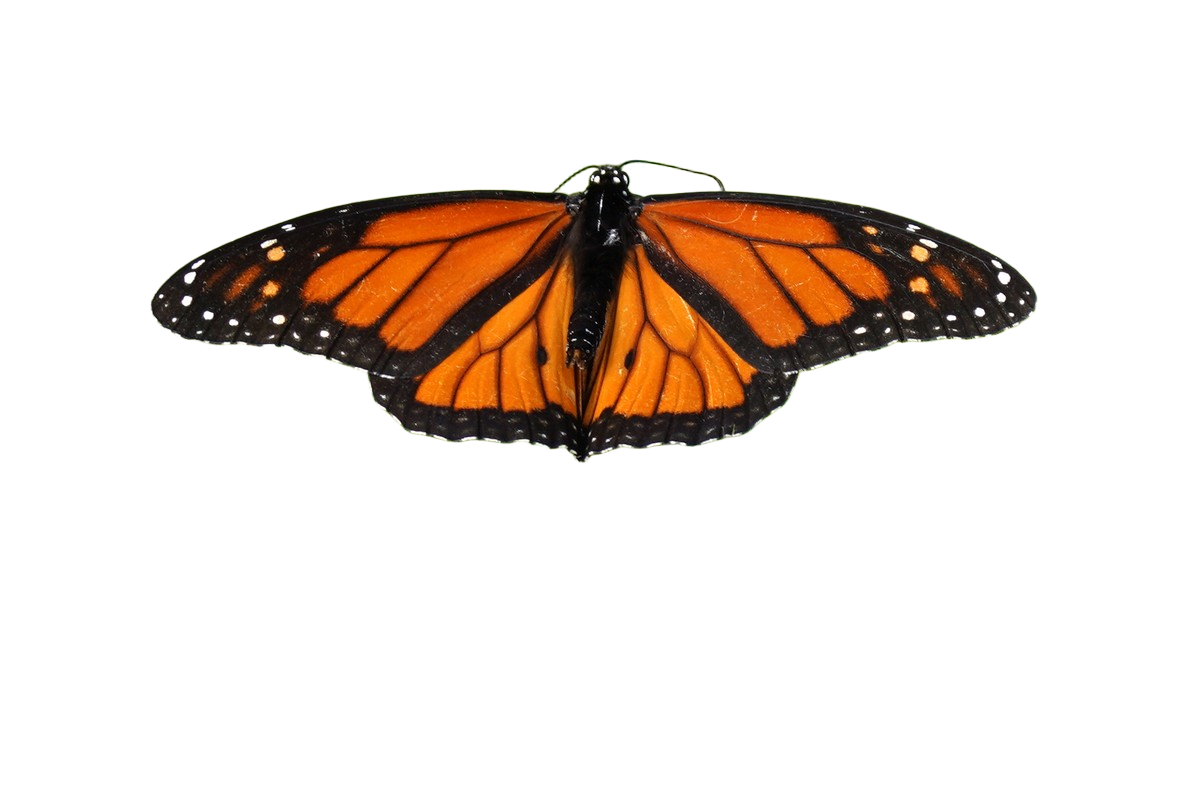
Courtney Celley, U.S. Fish and Wildlife Service, via Wikimedia Commons. Public domain. Public Domain Mark 1.0, work of the U.S. Fish and Wildlife Service. Original source.
This public-domain butterfly photograph is the site’s real cached example, not a product-photo benchmark. The 1,200 × 800 input and transparent PNG output were run through the worker’s own handler on a laptop CPU with the real weights on November 1, 2026. Neither output nor mask was retouched afterwards.
The example lets you inspect how foreground and background were separated. For a store, test your own subjects before processing the full inventory, especially hair, glass, fine wires, and objects with a similar color to the background.
Choose cutout or mask.
The default output: "cutout" returns a PNG with alpha. Set output: "mask" when your own image pipeline will apply the separation. Background removal does not add a studio scene or generate a new background.
Inputs can be PNG, JPEG, or WebP, up to 4 MP and 25 MB. Billing uses input megapixels with a one-unit floor, so a 2 MP image bills two units rather than the small-image fare.
Try a batch with your own images.
Upload images through POST /v1/files and its signed PUT links, then reference the returned IDs. The first-run guide covers account setup and uploading up to 100 files per request.
{
  "model": "birefnet",
  "items": [
    {
      "file": "FILE_ID",
      "params": {
        "output": "cutout"
      },
      "max_units": 1
    }
  ]
}
This body assumes an input at 1 MP or under. Set a larger max_units for larger images, within the model limit. Dry-run the same body before submitting it with an Idempotency-Key.
curl --fail-with-body "https://www.y-pad.com/v1/batches" \
  -H "Authorization: Bearer $YPAD_KEY" \
  -H "Content-Type: application/json" \
  --data '{
    "model": "birefnet",
    "items": [{"file": "FILE_ID", "params": {"output": "cutout"}, "max_units": 1}],
    "dry_run": true
  }'
Price a catalog rather than a single file.
Provisional fares. These are the published limited beta fares. Check the fare table before submitting work.
At 1 MP or under, the list fare is $0.0005 per image, with a $0.0075 minimum per submission. A lone job here costs more than on Replicate.
| Work | One batch, list fare | Separate submissions |
|---|---|---|
| 20 images at 1 MP or under | $0.01$0.0075 minimum per submission. | $0.15$0.0075 minimum per submission. |
| 1,000 images at 1 MP or under | $0.50$0.0075 minimum per submission. | $7.50$0.0075 minimum per submission. |
A lone job here costs more than on Replicate. Our lone image costs $0.0075, with a $0.0075 minimum per submission. Replicate lists about $0.0017 per run; Runware lists $0.0006 per image and also costs less for a lone image. Competitor prices checked 2 Nov 2026.
Review the edges and keep the files.
Expect a cold start of 10 to 30 s, occasionally minutes. This is a queue: check the batch state instead of assuming a fixed completion time.
Inspect outputs on both light and dark backgrounds. A cutout that looks clean on white can still have halos or missing fine detail. Keep the original so a person can correct the mask where the image matters.
Poll for settlement and download succeeded items through the paginated items endpoint. Failed and cancelled items cost nothing; a batch where nothing succeeds costs nothing. Save your outputs locally: Deletion starts at 7 days and normally finishes within a further day.
Have a batch in mind?
Estimate its cost ↗